Watcher: A Free, Open-Source HTTP Debugging Proxy for macOS
When an app talks to an API, most bugs live somewhere between the two. A header is missing. The server returns 401 only on one device. The JSON has a null where the app expects a string. To fix these bugs you need to see the traffic itself, not guess from logs.
A debugging proxy shows you that traffic. I built my own: Watcher.
TL;DR: Watcher is a native macOS app that captures, decrypts, inspects, mocks and modifies HTTP and HTTPS traffic from your Mac, iOS Simulators, iPhones, iPads and Android devices. It is free, open source (MIT) and has no account, telemetry or subscription.
🔗 mkemalgokce.github.io/watcher · github.com/mkemalgokce/Watcher
Why I built it
I debug network traffic almost every day as an iOS developer. I wanted a proxy that:
- feels like a real Mac app, fast and native, built with SwiftUI;
- is free and open, so I can read the code that sees my traffic;
- works from the terminal too, so I can use it in scripts and CI;
- lets AI coding agents read the captured traffic, instead of me copying requests into a chat.
I could not find one tool that did all of this, so I wrote it.
What it solves
"What did my app actually send?"
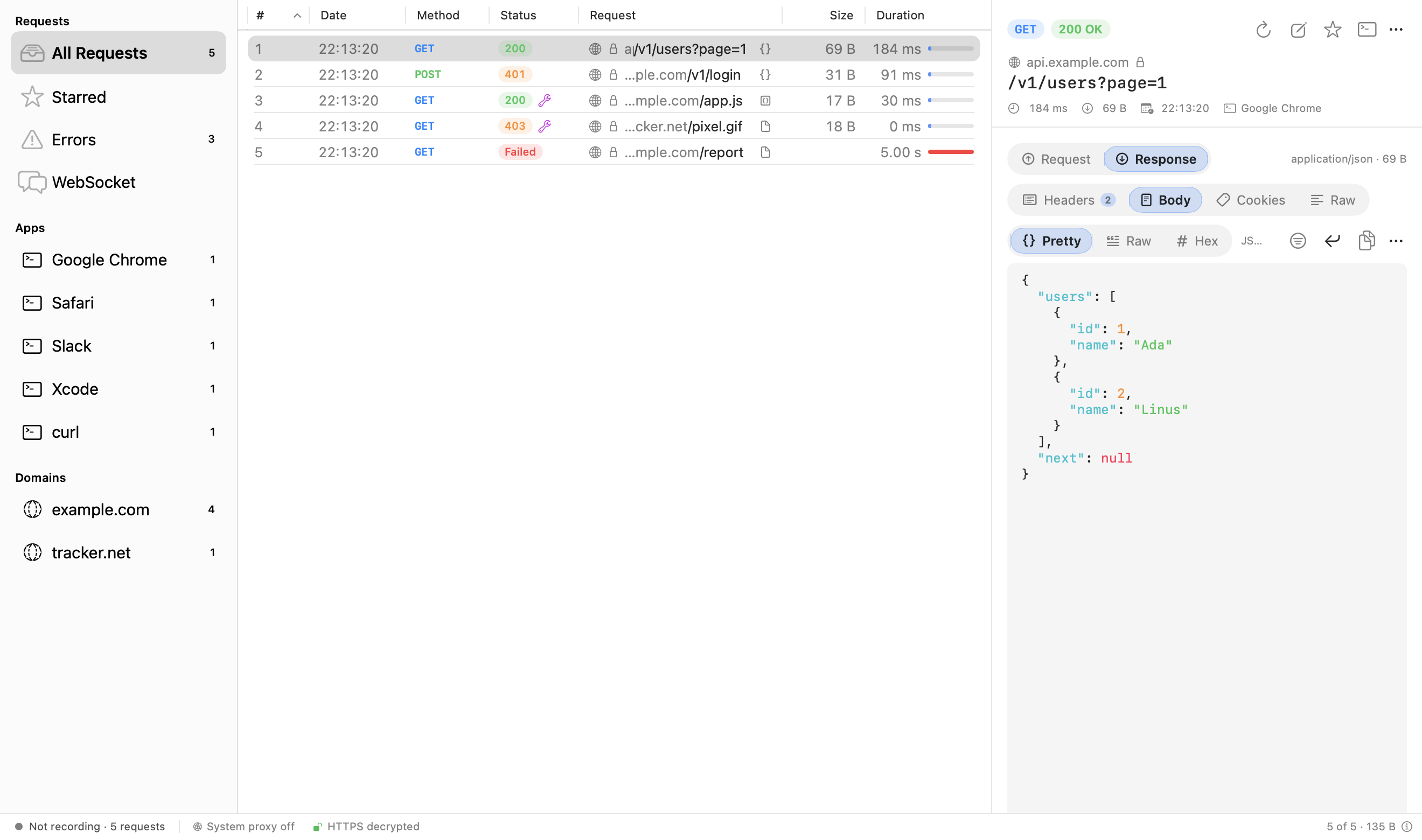
Press Record and every request shows up, grouped by the app that sent it and by domain. HTTPS is decrypted with a local root certificate, so you read plain JSON instead of encrypted bytes. You see headers, query, cookies, body, timing, and previews for JSON, images, HTML, GraphQL and Protobuf.
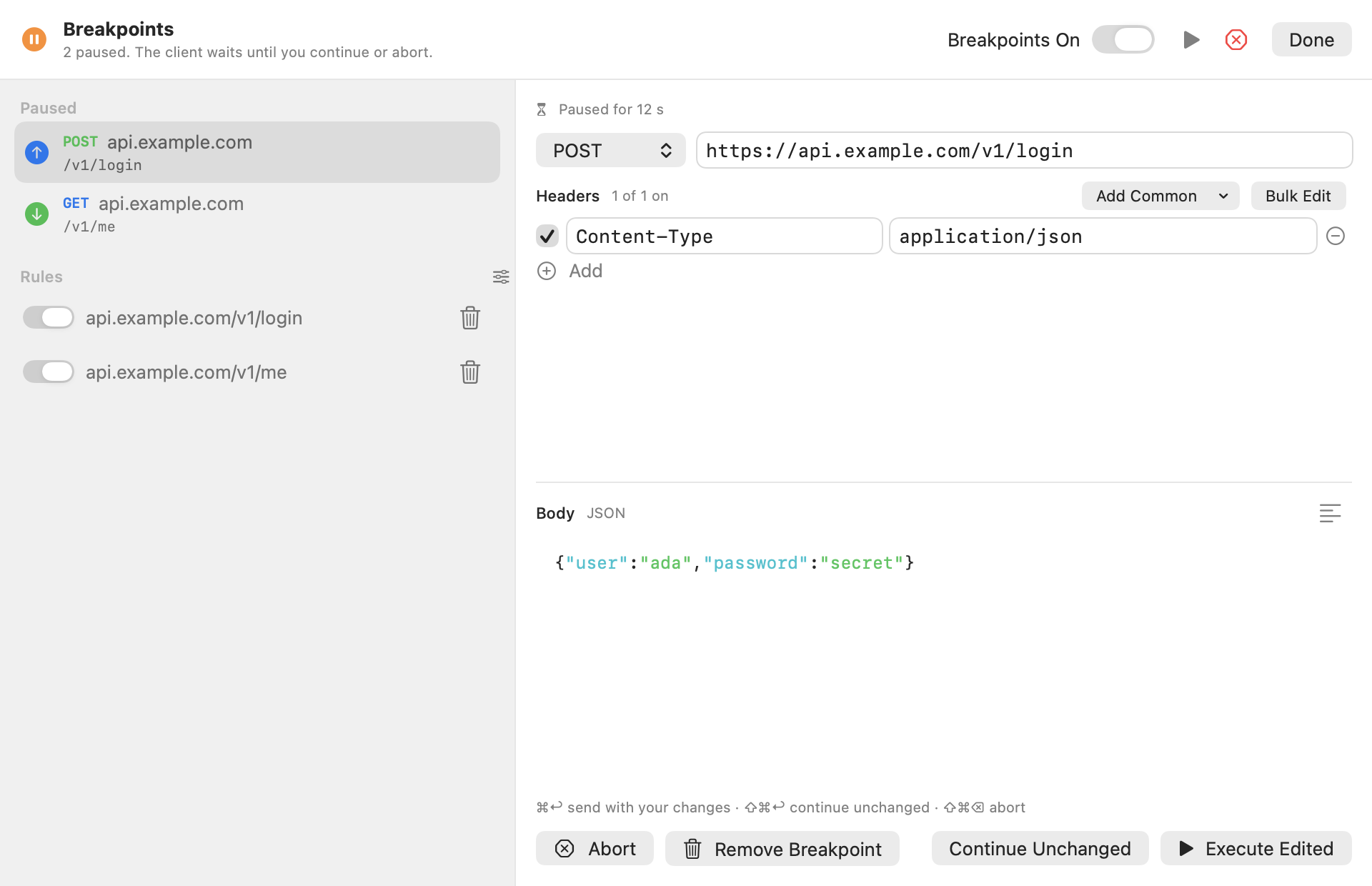
"I need to test an edge case the server never returns."
Set a breakpoint on a URL. The request pauses, you change the headers or the body, then continue or abort. You can test an error, a slow response or a strange payload without touching the backend.
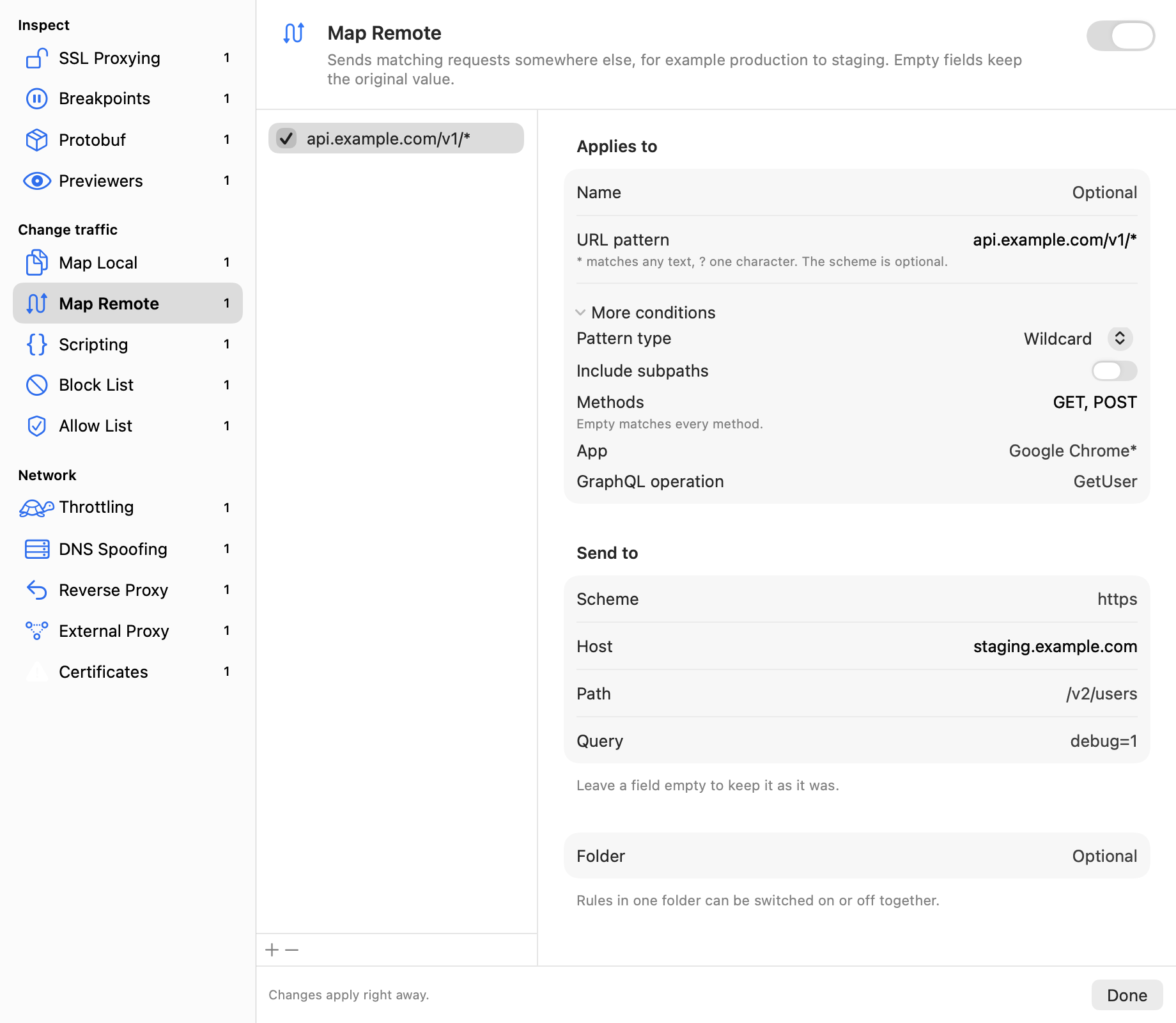
"I want production traffic to go to staging."
Map Remote sends matching requests somewhere else. Map Local answers from a file on your Mac. You can also block hosts, spoof DNS, throttle the network or change requests and responses with JavaScript.
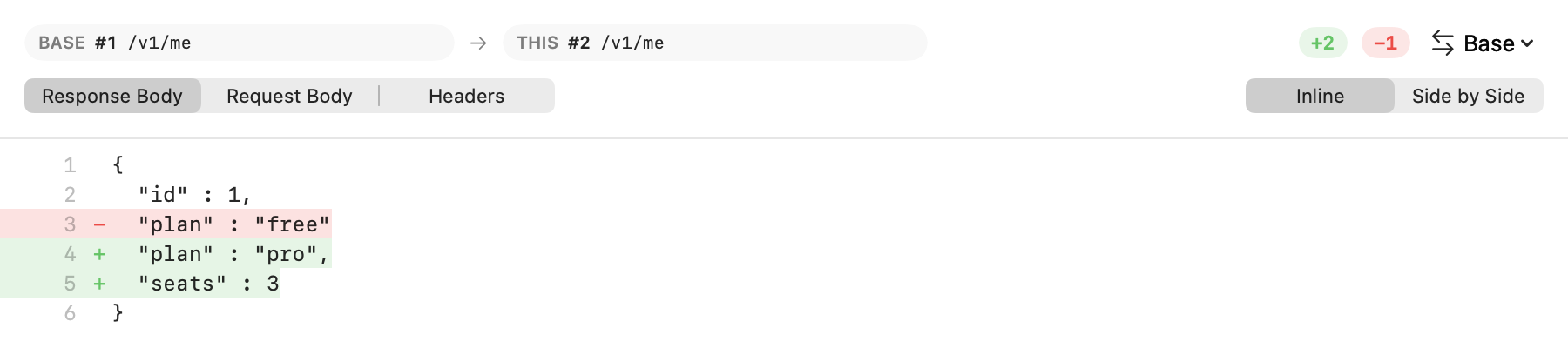
"Why is this response different from the last one?"
Pick two responses and compare them line by line.
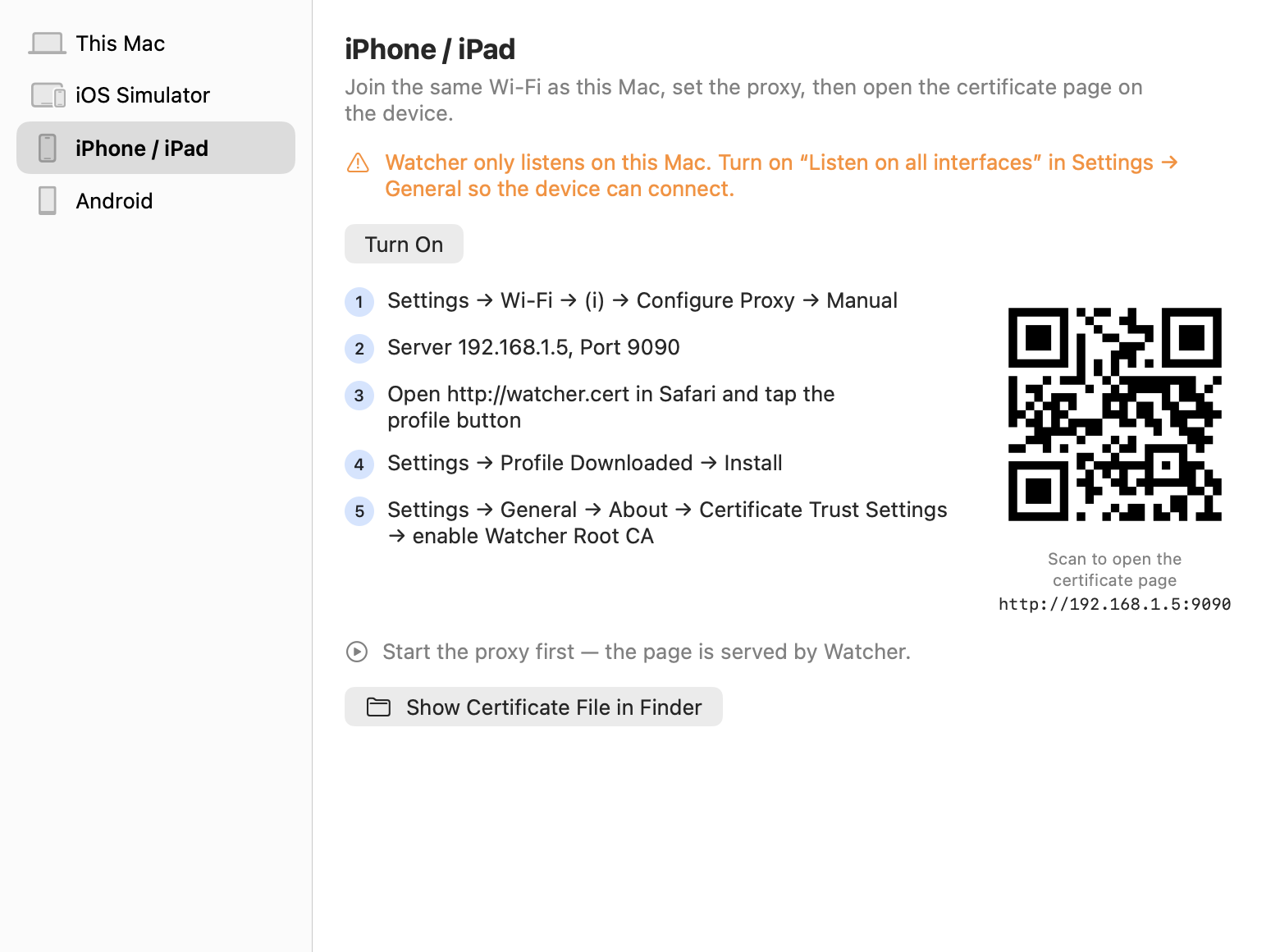
"It only breaks on my phone."
Watcher walks you through trusting its certificate on this Mac, iOS Simulators, iPhone and iPad (with a QR code) and Android (with adb). Then the phone's traffic shows up next to everything else.
Why you might use it
- It is free. No trial, no license key, no account.
- It is open. The proxy, the TLS layer and the UI are on GitHub under the MIT license, with no telemetry.
- It is native. A SwiftUI app for macOS 14 and later. Releases are signed and notarized by Apple.
- It fits your workflow.
watcher-cliruns the same proxy headless and writes HAR files, andwatcher-cli mcpgives AI agents the captured traffic and the rules. - It is tested. Unit, integration, end-to-end and snapshot tests run in CI on every change.
swift run watcher-cli start --har session.har    # capture to a HAR file
swift run watcher-cli mcp                        # MCP server on stdin/stdout
Try it
- Download the latest DMG from GitHub Releases and drag Watcher to Applications.
- Open it and follow the welcome sheet to trust the root certificate.
- Press Record (⌘E).
That's it. If something is missing or broken, open an issue. Pull requests are welcome too. And if Watcher saves you time, a ⭐ on GitHub helps other developers find it.