 Free and open source · MIT
The HTTP and HTTPS debugging proxy for macOS
Capture, decrypt, inspect, mock and modify network traffic from your Mac, iOS Simulators, iPhones, iPads and Android devices. A native SwiftUI app with a command line tool for scripts and CI, and an MCP server so AI coding agents can read captured traffic, add rules and send requests.
macOS 14+ · Apple silicon · Signed and notarized
Capture and decrypt HTTPS traffic
Record traffic from the whole Mac or a single client, and read HTTPS as plain text.
- HTTP/1.1 and HTTP/2 (ALPN), WebSocket frames, Server-Sent Events and streamed bodies.
- HTTPS decryption with a local root certificate and per-host certificates; SSL Proxying include and exclude lists.
- A SOCKS5 listener, and a one-click macOS system proxy that is restored on quit and after a crash.
- Requests grouped by the app that sent them and by domain.
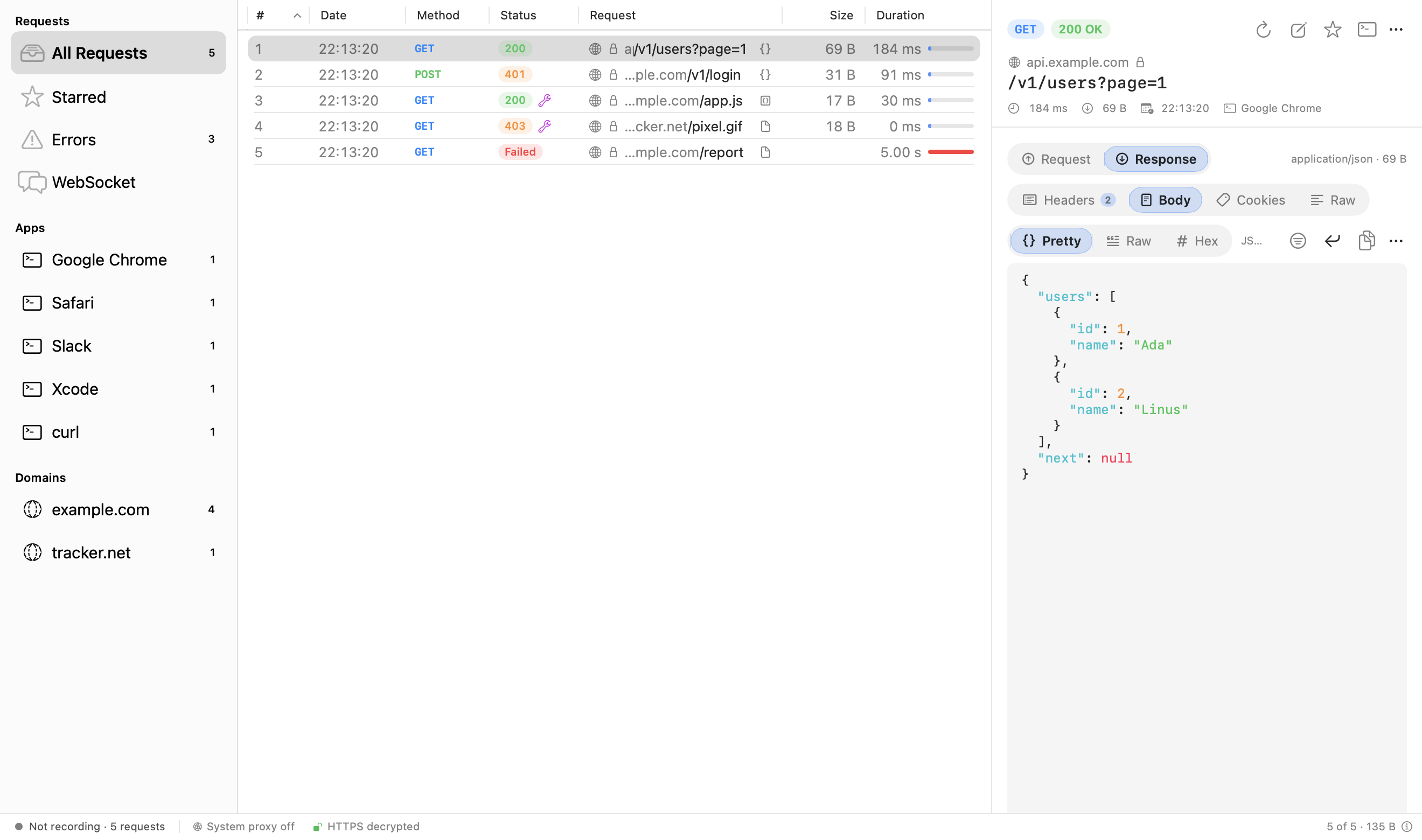
Inspect requests and responses
Every part of an exchange has its own view, and large bodies stay fast.
- Request and response side by side: headers, query, form and multipart parameters, cookies, raw and hex views.
- Previews for JSON, images, HTML (rendered offline, scripts off), PDF, audio, video, GraphQL and Protobuf/gRPC.
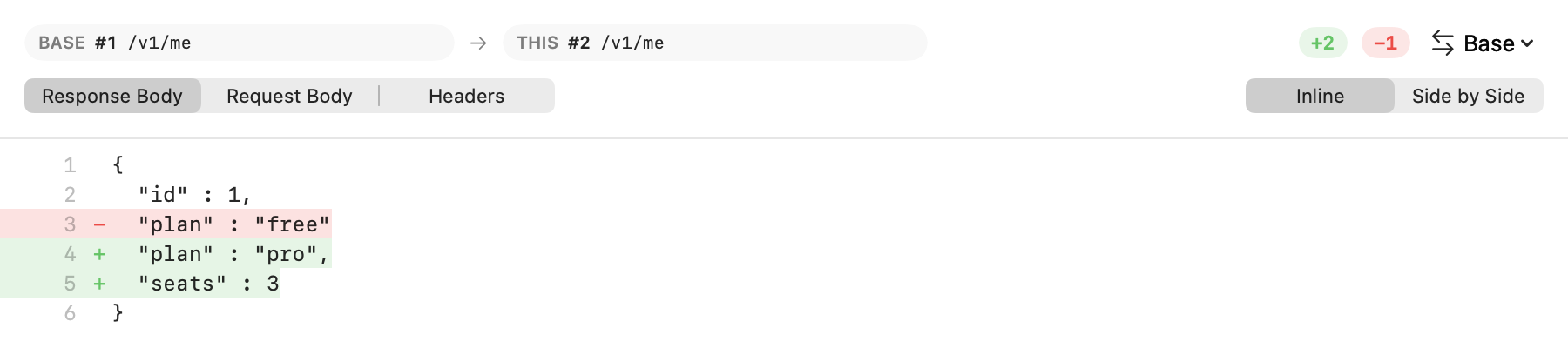
- JWT and Base64 decoding, timing details, and a diff of any two responses.
- Syntax highlighting that colours only the visible lines, so a 30 MB response stays responsive.
- One search field with tokens for method, status, content type and host.
Mock, rewrite and debug
Change traffic in flight without touching the app or the server.
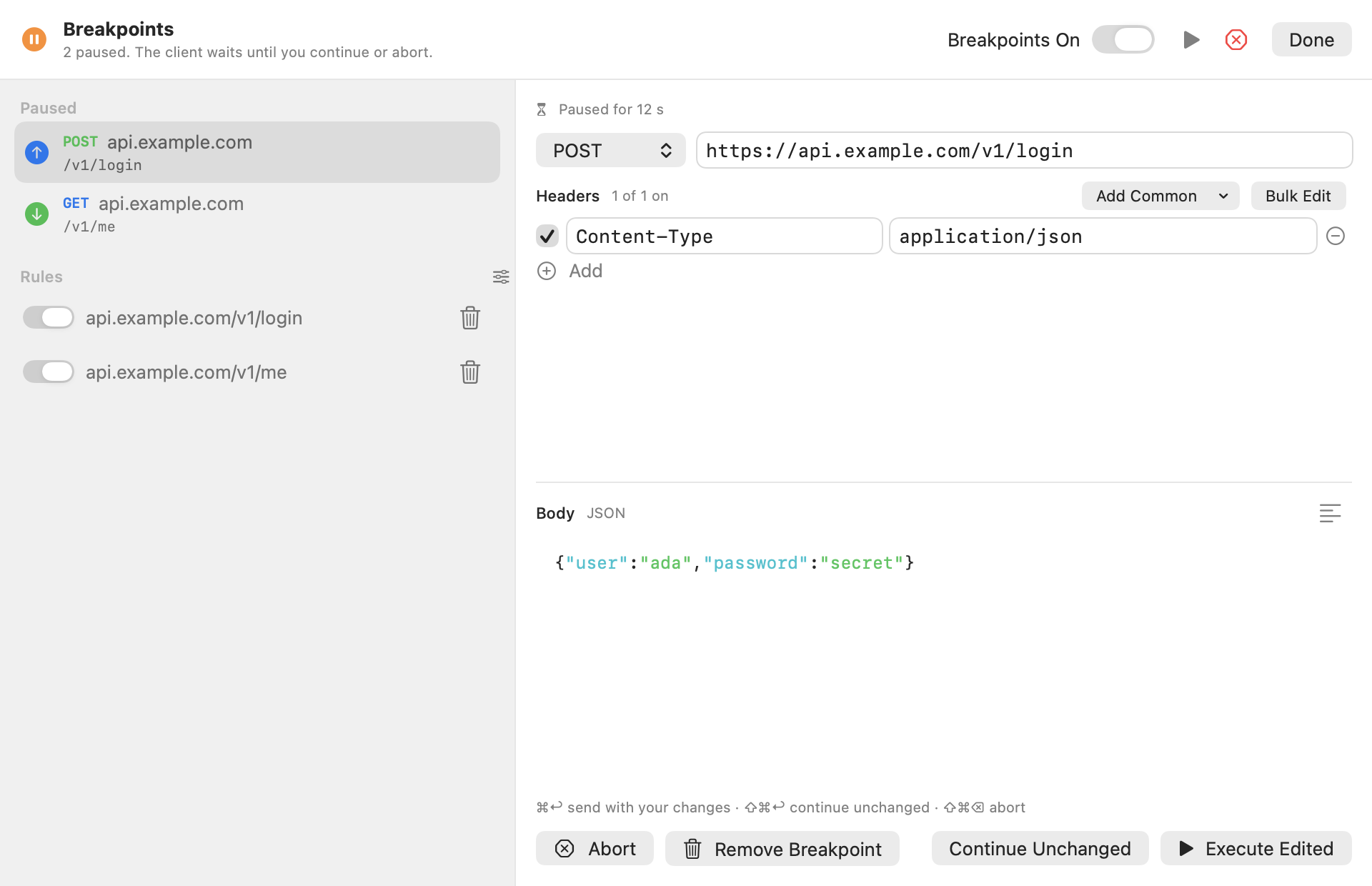
- Breakpoints: pause a request or response, edit it, then continue or abort.
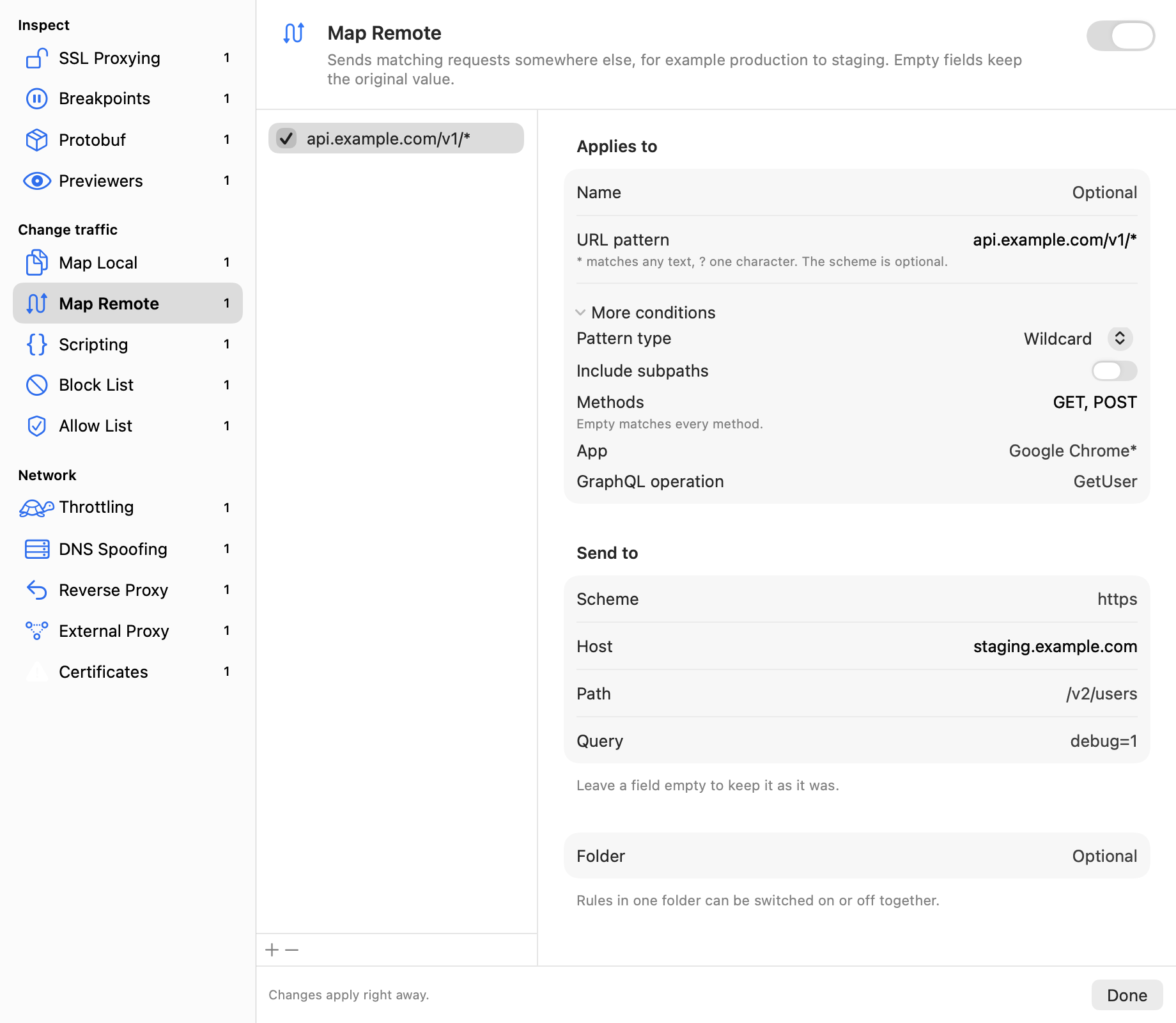
- Map Local and Map Remote: answer from a local file, or send production traffic to staging.
- Scripting: change requests and responses with JavaScript.
- Block and Allow Lists, DNS Spoofing, Reverse Proxy, External Proxy (HTTP, SOCKS, PAC), Network Throttling and No Caching.
- Rules match by wildcard, regex, method, GraphQL operation or sending app, and can be grouped in folders.
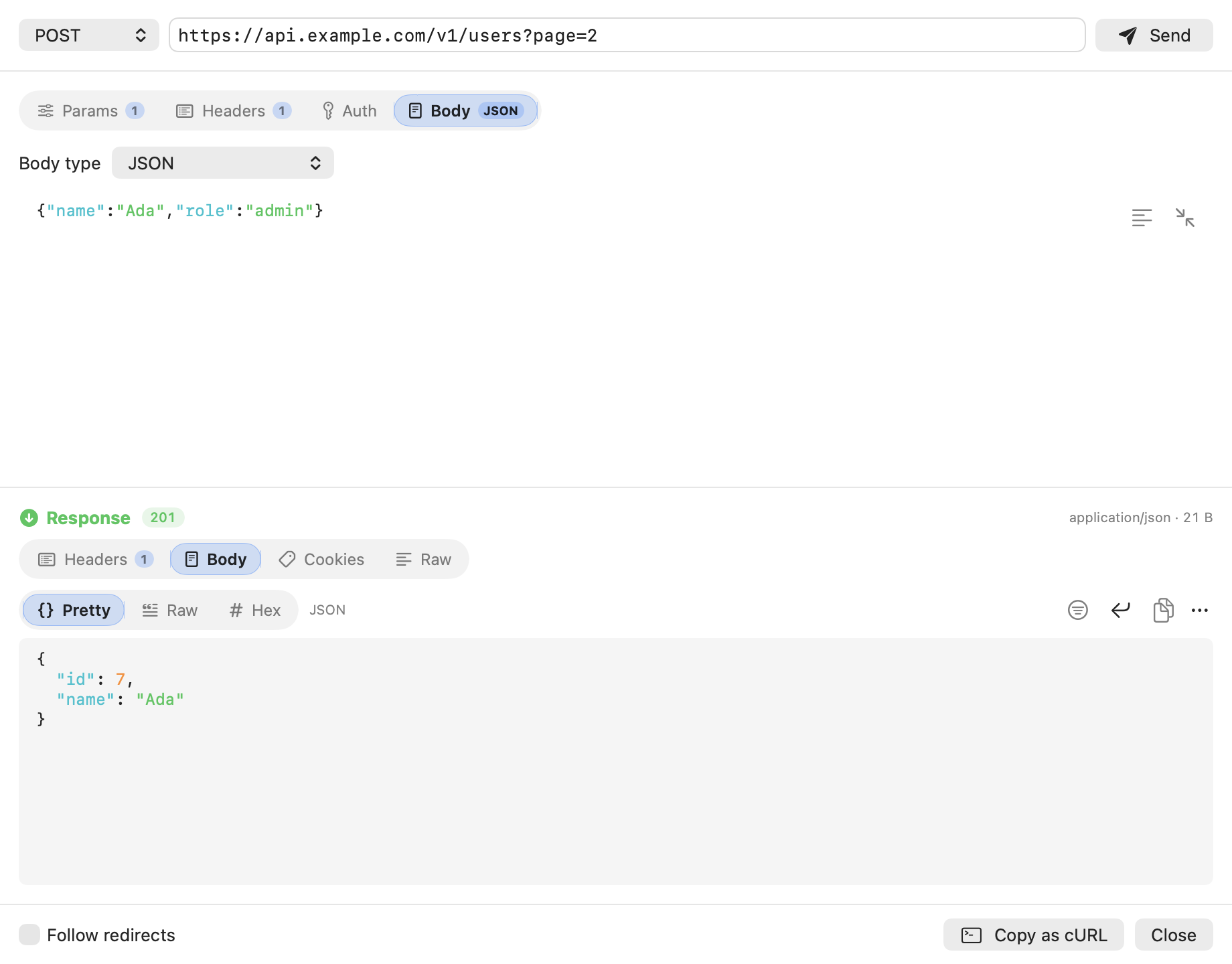
Compose, export and import
Send requests by hand and move sessions in and out of other tools.
- Build or repeat requests (JSON, form, multipart, GraphQL, files), import a cURL command, mock a response.
- Export HAR, CSV, session files and workspaces; copy as cURL, Swift, Python, JavaScript, Go, Ruby or PHP.
- Import Charles sessions and settings.
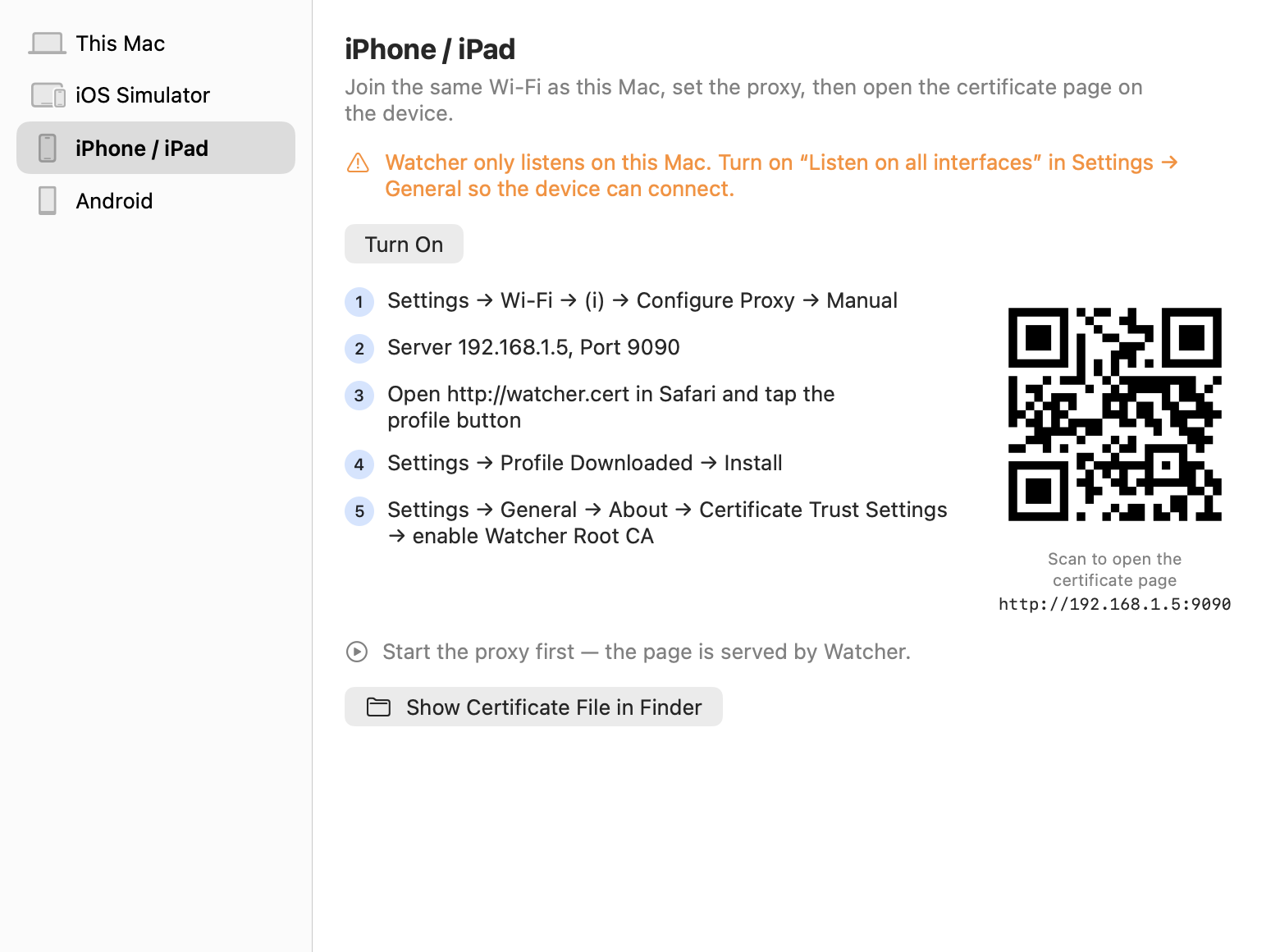
Debug iOS and Android apps
Trust the certificate on each target, with step-by-step setup for each.
- This Mac.
- iOS Simulators.
- iPhone and iPad, with a configuration profile and a QR code.
- Android, through
adb.
From download to first request.
Download Watcher-<version>.dmg from the latest release and drag Watcher to Applications. Releases are signed with a Developer ID and notarized by Apple.
Open Watcher. The welcome sheet walks through trusting the root certificate.
Press Record (⌘E). Watcher listens on 127.0.0.1:9090. Turn on the system proxy (⇧⌘Y) to capture the whole Mac.
To capture a phone or simulator, open Set Up a Device (⇧⌘D).
Press Pause to stop; your original network settings come back.
Press ⌘/ in the app for every keyboard shortcut.
The same proxy, headless.
watcher-cli runs the same proxy without a window, for scripts and CI, and gives AI agents the captured traffic and the rules over MCP.
# capture to a HAR file
swift run watcher-cli start --har session.har
swift run watcher-cli tool block-list on
# also: rules import, rules import-charles
swift run watcher-cli rules export rules.json
swift run watcher-cli install-simulator-cert --device booted
# also: android list | proxy --port 9090 | unproxy
swift run watcher-cli android cert
# MCP server on stdin/stdout
swift run watcher-cli mcp
curl -x http://127.0.0.1:9090 --cacert ~/.watcher/watcher-ca.pem https://example.com/
The app and the CLI share ~/.watcher/settings.json; a running Watcher picks up edits within a second.
Rewrite traffic with JavaScript.
A script gets each request before it leaves and each response before it returns, and hands back the version to use.
Limits
Bodies a tool must read (scripting, breakpoints, GraphQL matching, throttling) are buffered up to 64 MB; streamed bodies keep their first 1 MB; a WebSocket keeps its newest 2000 messages; scripts time out after 10 s. Binary Charles sessions (.chls, .chlz) need Charles installed.
// request: method, headers, queries, body
async function onRequest(context, url, request) {
  request.headers["X-Watcher"] = "1";
  return request;
}
// response: statusCode, headers, body, bodyFilePath
async function onResponse(context, url, request, response) {
  response.statusCode = 200;
  return response;
}
Free, open and built in public.
A debugging proxy sees your most sensitive traffic. With Watcher you can read every line that handles it.
MIT licensed
Use it, fork it and change it. The whole app and CLI are under the MIT License.
Read the license →No account, no telemetry
Watcher has no sign-in, no usage tracking and no subscription.
Source on GitHub
Every line of the proxy, the TLS layer, the rules, the UI and the CLI is public.
Browse the repository →Signed and notarized
Release DMGs are signed with a Developer ID and notarized by Apple.
See releases →Native Swift
Built with Swift and SwiftUI on Swift Package Manager, with a SwiftNIO proxy engine shared by the app and the CLI.
Tested in depth
Swift Testing suites cover unit, integration, end-to-end, snapshot, smoke and UI interaction tests. CI enforces coverage thresholds and also runs the snapshot and end-to-end suites.
Contributions welcome
Issues and pull requests are welcome. Every change starts with a failing test.
Read CONTRIBUTING.md →Security policy
Watcher decrypts traffic, so security reports matter. Report problems privately through GitHub security advisories.
Read SECURITY.md →Sponsor
Watcher is free. If it saves you time, consider sponsoring its development.
Sponsor on GitHub →Build from source
Needs Xcode 26 or later.
git clone https://github.com/mkemalgokce/watcher.git
cd watcher
# writes build/Watcher.app, signed ad hoc for this Mac
tools/build-app.sh
See what your app really sends.
Free, open source and native to the Mac. No account needed.